Transport Fever 3 Mac: Compatibility, Requirements & Setup
Is Transport Fever 3 playable on Mac? Here's what Mac users need to know about native support, system requirements, pricing, and performance tips.
Is Transport Fever 3 Available on Mac?
If you've been dreaming of building a sprawling transport empire — steam trains chugging through alpine valleys, cargo trams feeding industrial districts, supertankers crossing the horizon — you probably have one pressing question: can you play Transport Fever 3 Mac natively? The good news is yes. Paradox Interactive's official product page lists Mac OS alongside Windows and Linux as officially supported platforms, which means Mac users get a first-class experience rather than a workaround.
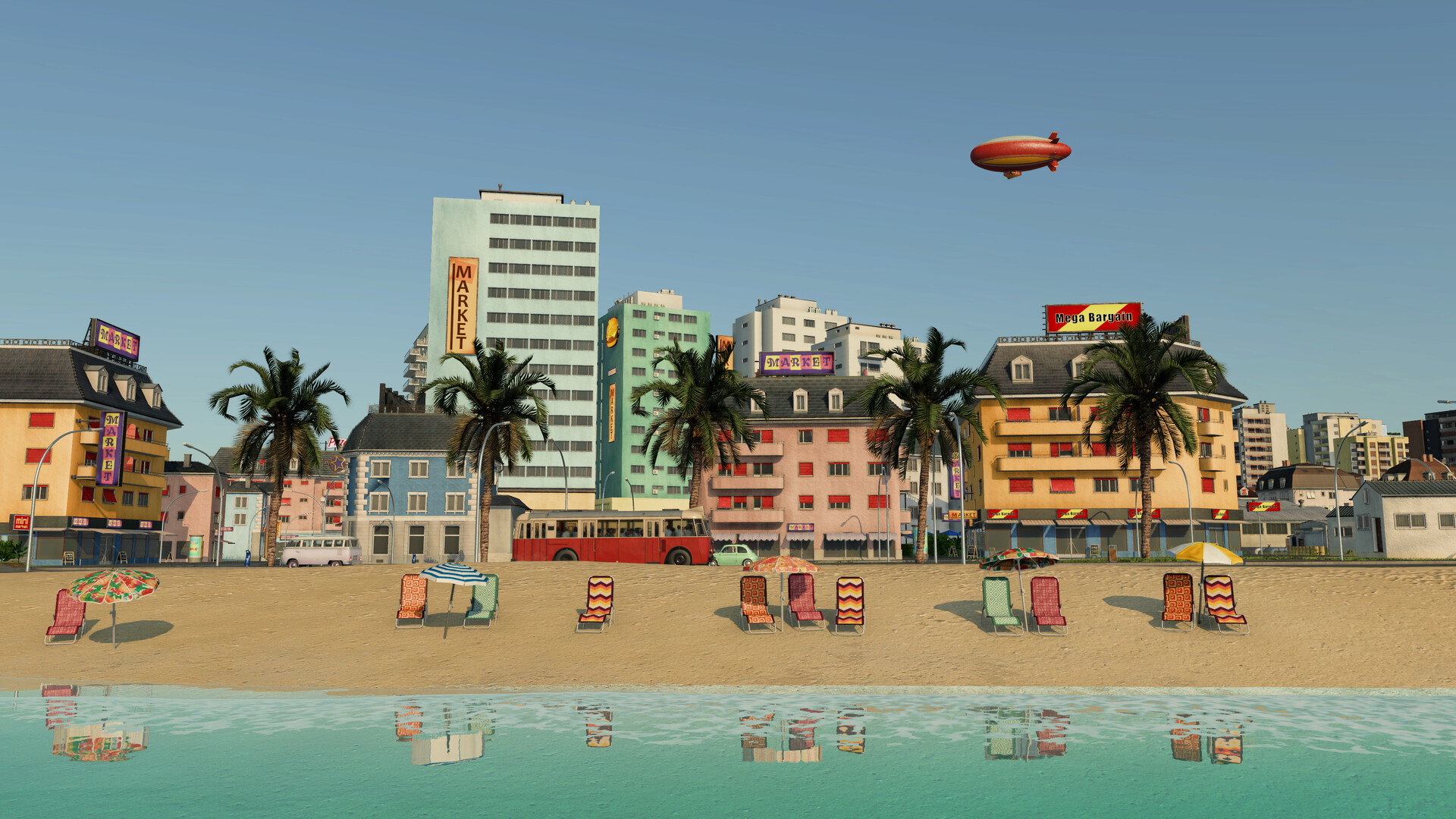
Official screenshot · Source: Steam store
That matters more than you might think. Previous entries in the Transport Fever series have historically supported macOS, and Urban Games has continued that tradition with the third installment. This guide walks you through everything a Mac player needs to know: hardware expectations, what kind of machine you'll want, pricing, and practical tips for getting the best performance out of Transport Fever 3 on Apple hardware.
Why Transport Fever 3 Is Worth Running on a Mac
Before diving into requirements, it's worth understanding what you're actually getting. Transport Fever 3 isn't a small indie title — it's a deep tycoon simulation with a living world simulation that tracks individual citizens, their homes, their jobs, and their daily routines. That kind of simulation is CPU-intensive, which is exactly why hardware questions matter for Mac players.
Here's a quick snapshot of what the game offers:
| Feature | Details |
|---|---|
| Developer | Urban Games |
| Publisher | Paradox Interactive |
| Platforms | Windows, Mac OS, Linux |
| Modes | Singleplayer |
| Vehicles | 275+ realistic trains, buses, trams, trucks, ships, aircraft, helicopters |
| Transport eras | 125+ years of evolution, from horse-drawn wagons to high-speed trains |
| Industries | 35+ unique industries, including offshore sectors like oil platforms |
| Price (Base) | $49.99 USD |
| Price (Deluxe Edition) | $64.99 USD |
The game spans more than a century of transport history. You'll start with humble horse-drawn wagons and paddle-steamers and gradually work your way up to jet planes, supertankers, and high-speed rail. Every delivery earns money; every vehicle in your fleet adds cost. That constant balance between revenue and expense is the heart of the tycoon experience.
Editions and Pricing for Mac Players
Transport Fever 3 ships in two main editions, and both are available as Steam keys that work on macOS. There's also a standalone Deluxe Upgrade for players who bought the base game first and want the extras later.
| Edition | Contents | Price |
|---|---|---|
| Transport Fever 3 (Base Game) | Base game only | $49.99 USD |
| Transport Fever 3 Deluxe Edition | Base game + 6 exclusive vehicles + 2 landmarks + 4 animals | $64.99 USD |
| Deluxe Upgrade (DLC) | Adds Deluxe content to an existing base game purchase | $19.99 USD |
Practical advice: if you already own the base edition, the $19.99 Deluxe Upgrade lets you catch up without double-buying. If you're new, the Deluxe Edition saves you $5 compared to buying base plus upgrade separately — a small but real discount if the six bonus vehicles and cosmetic landmarks appeal to you.
System Requirements: What Your Mac Needs
Here's the honest caveat Mac players should know upfront: as of this writing, Paradox's official product page lists Mac OS as a supported operating system, but the fully detailed, line-by-line specification rows published on the page currently show Linux figures (Ubuntu 24.04, Core i5-8400/Ryzen 5 2600X class CPU, 8 GB RAM, 4 GB VRAM minimum). The good news is that Urban Games has traditionally kept Mac requirements closely aligned with the Windows/Linux builds, so the Linux tiers are the best available guide for what your Mac will need.
| Tier | CPU Equivalent | RAM | GPU Equivalent |
|---|---|---|---|
| Minimum | Intel Core i5-8400 / AMD Ryzen 5 2600X | 8 GB | GTX 1060 / RX 480 / Arc A380, 4 GB VRAM |
| Recommended | Intel Core i7-13700K / AMD Ryzen 7 7800X3D | 16 GB | RTX 3060 Ti / RX 6700 XT / Arc A770, 8 GB VRAM |
Translating that to the Mac world:
| Mac Hardware | Expected Experience (player-level guidance) |
|---|---|
| Base M1 MacBook Air (8 GB) | Likely playable at reduced settings for smaller maps; expect strain with large networks |
| M-series Pro/Max chips, 16 GB+ RAM | Comfortable middle ground; medium-to-large maps with good frame rates |
| High-end M-series (Max/Ultra, 32 GB+) | Closest match to the "recommended" tier; ideal for huge cities and complex traffic |
| Intel Macs with dedicated AMD GPUs | Viable if specs meet minimum tiers, but aging Intel Macs may struggle |
Because Transport Fever 3 simulates thousands of individual citizens, dynamic traffic with lane control and overtaking, and four detailed climate zones, your CPU and RAM matter as much as your GPU. A machine with 16 GB of memory is a sensible target if you plan to grow sprawling megacities.
How Transport Fever 3 Plays on Mac: What to Expect
The simulation scales with your ambition
Early in a campaign, with a handful of horse-drawn lines and a couple of steam trains, nearly any modern Mac will feel smooth. The real test comes decades of in-game time later, when your network includes high-speed rail, cargo trams, light rail systems, and offshore logistics serving oil platforms and fishing grounds. As towns grow into dynamic districts driven by simulated inhabitants, the computational load climbs steadily.
Key features Mac players get
- Full campaign mode with story missions inspired by real historic transport events
- Adjustable tycoon difficulty, from hardcore contract-racing to a sandbox with the economy disabled entirely
- In-game map editor and improved modding tools, plus an in-game mod browser for sharing creations
- Dynamic weather, day/night cycles, and physically based atmosphere and cloud coverage
- Four climate zones — temperate, desert, tropical, and a brand-new subarctic region
Performance tips for Mac players
- Close background apps before long sessions. Transport simulators are CPU-bound, and browsers or cloud-sync tools eating cycles will show up as simulation slowdowns.
- Start with medium-sized maps. Randomly generated maps with distinct biomes are tempting at max size, but performance ramps down as your network grows — begin modest and expand.
- Use the built-in data layers. The game's visual overlays help you spot traffic hotspots and delivery problems, which also keeps you from over-building redundant lines that tax performance.
- Cap vehicle sprawl in the early game. Every train, truck, and ship adds simulation and rendering cost. Optimize routes before expanding the fleet.
- Keep 16 GB RAM in mind when buying. If you're choosing between two Macs, the extra memory will serve you better than a marginal GPU bump for this particular title.
Transport Fever 3 vs. Running It Through Other Methods
Some Mac gamers assume they'll need Cloud gaming, CrossOver, or Parallels to play titles like this. With Transport Fever 3, that's unnecessary — native macOS support means simpler installation, better stability, and typically better performance than virtualization layers. Native support also means Mac players can join the modding community directly, using the in-game mod browser to download community-made vehicles, buildings, and maps without compatibility headaches.
For comparison:
| Method | Setup Complexity | Performance | Recommended? |
|---|---|---|---|
| Native Mac version | Simple (Steam install) | Best available on your hardware | ✅ Yes |
| CrossOver/Wine translation | Moderate | Variable, potential graphics glitches | ❌ Unnecessary here |
| Cloud streaming | Simple | Depends on internet; input latency possible | Optional backup for weak hardware |
| Parallels/VM | Complex, license cost | Worst option for a CPU-heavy sim | ❌ Not recommended |
The takeaway: buy the native version and skip the workarounds entirely.
Getting Started: A Quick Setup Checklist
- Install Steam on your Mac if you haven't already.
- Purchase the game — base ($49.99) or Deluxe ($64.99) — from Steam or the official Paradox Interactive store page, which also lists the Deluxe Upgrade for existing owners.
- Verify your storage space and ensure macOS is up to date before installing.
- Adjust graphics settings on first launch — start at medium, test a session, then scale up or down.
- Try the campaign first. The story missions teach the game's systems gradually, which is friendlier than jumping straight into free tycoon mode.
Final Verdict for Mac Gamers
Transport Fever 3 on Mac is a genuinely supported platform, not an afterthought. With official Mac OS compatibility confirmed by the publisher, a price tag identical to other platforms, and a feature set that includes the full campaign, map editor, and mod browser, Mac players get the complete experience. The main consideration is hardware: aim for at least 16 GB of RAM and a modern Apple Silicon chip if you want to build the massive, bustling networks the game is designed for. If you've been waiting to plan, build, and optimize your own transport empire from your MacBook or Mac desktop, there's no barrier left — just rails, roads, and a century of history to conquer.
Frequently Asked Questions
Is Transport Fever 3 natively supported on Mac? Yes. Paradox Interactive lists Mac OS as an officially supported operating system for Transport Fever 3, alongside Windows and Linux, so Mac players can install and play the game directly through Steam without compatibility software.
How much does Transport Fever 3 cost on Mac? The base game is priced at $49.99 USD and the Deluxe Edition at $64.99 USD, identical to other platforms. If you already own the base game, the Deluxe Upgrade DLC costs $19.99 and adds six bonus vehicles, two landmarks, and four animals.
What are the system requirements for Transport Fever 3 on Mac? Official detailed Mac specs haven't been fully itemized separately, but based on the comparable Linux tiers published by Paradox, expect to want roughly an 8-core class CPU, 8 GB RAM minimum, and a GPU with at least 4 GB VRAM — with 16 GB RAM and a stronger GPU recommended for large maps.
Will Transport Fever 3 run well on an M1 or M2 MacBook? Player experience suggests entry-level M-series Macs with 8 GB of RAM handle smaller maps and early-game networks fine, but performance can dip in late-game scenarios with massive cities and heavy traffic. A Pro/Max chip with 16 GB or more of memory is the safer bet for ambitious empire builders.
Related Guides
Transport Fever 3 GeForce Now: Availability Status
Is Transport Fever 3 coming to GeForce Now? Latest developer statements, community demand, and what cloud players should do while waiting.
Transport Fever 3 Linux: Day-One Release, Specs & Editions
Transport Fever 3 launched on Linux at release. Here's what PC players need to know: system requirements, editions, pricing, and key new features.
Transport Fever 3 Offline: Play Anywhere, No Internet
Learn how to play Transport Fever 3 offline with DRM-free installs, local saves, and offline setup tips — plus logistics strategies for tycoons.
Transport Fever 3 PS5: What Console Tycoons Need to Know
Transport Fever 3 on PS5: release date, editions, features, performance details, and whether the ultimate transport tycoon is worth it on console.