Transport Fever 3 Sandbox Mode: Guide & Tips 2026
Learn how Transport Fever 3 sandbox mode works, what it unlocks, and how to build stunning networks without economic pressure. Full guide inside.
Transport Fever 3 landed on September 29, 2026, and while most coverage focuses on its harsher cities and deeper logistics, the real gift for many players is Transport Fever 3 sandbox mode. If you'd rather sculpt a perfect high-speed rail hub than chase loan repayments, sandbox is where the game's incredible construction tools shine. In this guide, we'll break down what sandbox offers, how it compares to Tycoon and Campaign modes, and how to get the most out of unrestricted building.
What Is Transport Fever 3 Sandbox Mode?
Transport Fever 3 is a transport tycoon and economic simulation from Urban Games and Paradox Interactive. You build road, rail, sea, and air networks across more than 125 years of transport history, from horse-drawn wagons to jet aircraft, with over 275 vehicles at your disposal. In Tycoon mode, every delivery earns money while every vehicle increases costs, so growth requires constant financial balancing.
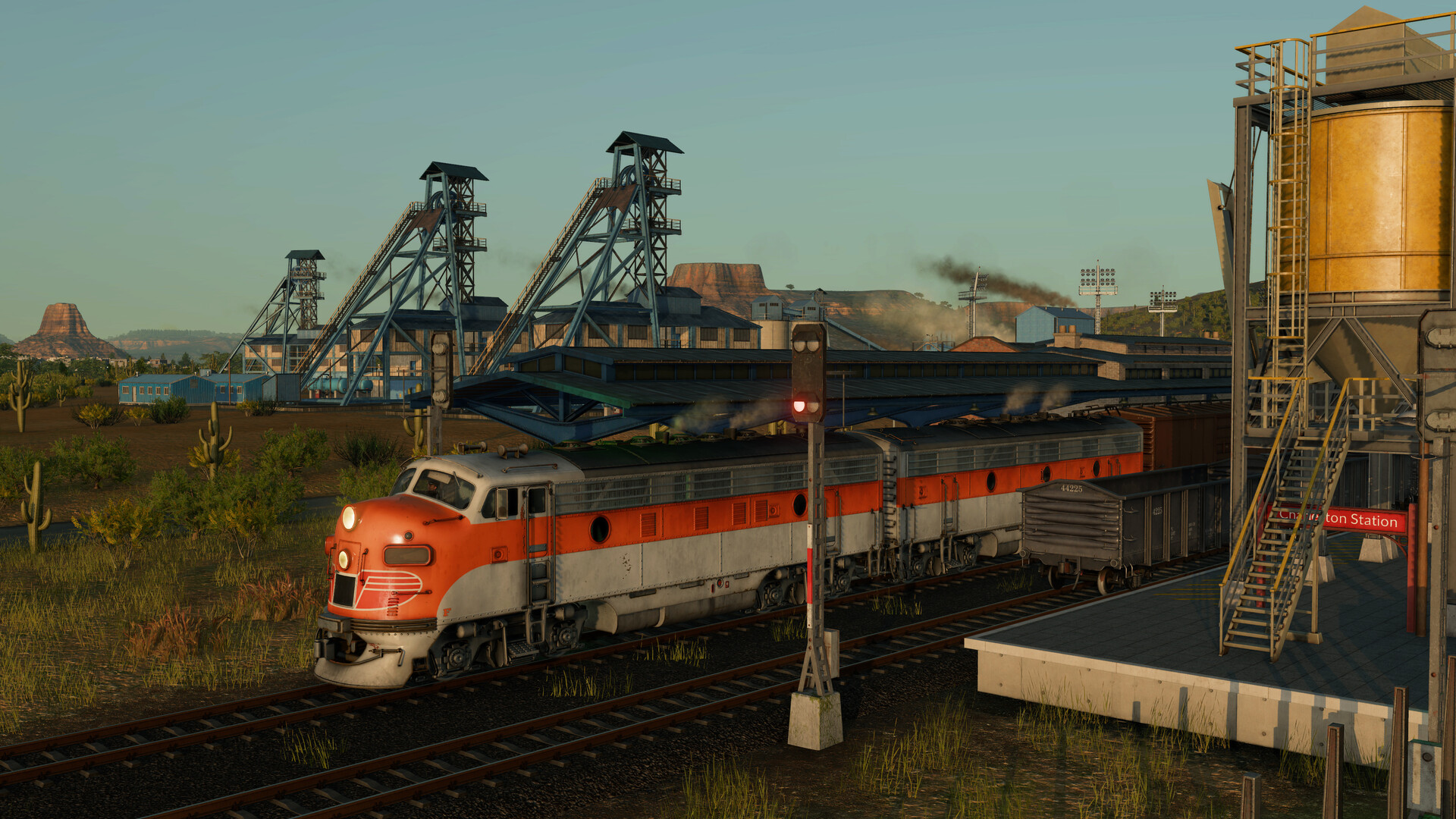
Official screenshot · Source: Steam store
Sandbox mode heads in the opposite direction. According to the official Steam page, the game lets you "disable the economy entirely and build the most stunning city, station, or diorama you can imagine." That's exactly what sandbox is: a pressure-free creative playground where the economic machine is switched off and the building tools take center stage.
Sandbox vs. Tycoon vs. Campaign: Which Mode Fits You?
Transport Fever 3 ships with three core modes, each serving a very different kind of player.
| Mode | Best For | Economy | Pressure Level |
|---|---|---|---|
| Tycoon | Profit optimization, growth management | Full economic simulation | High |
| Sandbox | Creative building, dioramas, learning tools | Can be disabled entirely | None |
| Campaign | Story-driven objectives (8 missions) | Mission-based | Medium–High |
Here's a quick way to decide:
- Choose Sandbox if you want to experiment with road tools, build without budget limits, or recreate real-world locations using the map editor.
- Choose Tycoon if you want the full challenge of maintenance costs, noise, pollution, reputation, and demanding cities.
- Choose Campaign if you prefer structured objectives inspired by real historic transport events.
There's no wrong answer, and many players split time between them — learning the tools in sandbox before applying that knowledge in a full tycoon run.
What Sandbox Unlocks for Builders
Sandbox mode is more than just "free money." It removes the friction that normally gates your creative ambition:
- Unlimited resources — place stations, tracks, roads, and terminals without watching your balance sheet
- Full access to 275+ vehicles — run steam locomotives and jets side by side, since the time-progression pressure is off
- Intuitive landscaping tools — sculpt terrain, paint ground textures, and place vegetation freely
- Every infrastructure type — highway ramps, dedicated tram lanes, configurable lane connections, modular stations, and modern airports
Because the game's advanced traffic simulation still runs, sandbox is also the ideal laboratory. You can build an intersection, watch vehicles overtake and queue through it, then redesign the lane connections and compare results. Community reports suggest this trial-and-error approach in sandbox is one of the fastest ways to internalize the new lane-control system before taking it into a real economy.
How Sandbox Complements Tycoon's Harsher World
Understanding why sandbox matters requires understanding what changed in the rest of the game. Cities in Transport Fever 3 now react to far more than delivery frequency: passenger happiness, traffic congestion, waiting times, noise, pollution, reputation, and even travel comfort all influence how towns develop. A profitable line that leaves a city gridlocked and irritated simply isn't good enough anymore.
That means mistakes are more punishing — and more educational. Sandbox mode lets you rehearse complex scenarios risk-free:
| Tycoon Problem | Sandbox Rehearsal |
|---|---|
| City traffic jams around your station | Rebuild the junction with highway ramps and lane controls, watch the flow |
| Warehouse bottlenecks choking an industry chain | Prototype warehouse placement and specialized terminals |
| Noise and pollution complaints near residential districts | Test buffer zones, tram lanes, and routing alternatives |
| Trains stuck behind slower services | Experiment with line-based train priorities |
The gameplay feedback loop in Transport Fever 3 is the real upgrade over its predecessor, and sandbox is your safe space to master it.
Practical Tips for Getting the Most from Sandbox Mode
1. Learn the Road and Track Tools First
Transport Fever 3's construction toolkit is the deepest in the series. Spend sandbox time specifically on:
- Configuring individual lane connections at busy intersections
- Building highway ramps and grade-separated junctions
- Laying dedicated tram tracks and overland tram lanes
- Testing how vehicles overtake when conditions allow
2. Use the Map Editor Alongside Sandbox
The fully featured in-game map editor lets you craft maps closely matching reality or straight from your imagination. Combine it with sandbox play to recreate your hometown's rail network, then admire (or dread) the traffic simulation that follows.
3. Experiment Across All Four Climate Zones
Transport Fever 3 includes temperate valleys, subarctic swamps, desert plains, and tropical islands — including a brand-new subarctic region. Each biome demands a different transportation strategy, and sandbox is the cheapest way to learn how terrain, water, and distance shape your route choices.
4. Treat It as a Diorama Challenge
The Steam description explicitly encourages building "the most stunning city, station, or diorama you can imagine." With dynamic weather, a full day-night cycle, and physically based lighting, sandbox creations photograph beautifully. Landmarks inspired by real-world architecture give your builds genuine character.
5. Lean on Mods and the Mod Browser
Modding tools have been significantly improved, and an in-game cross-platform mod browser makes sharing and downloading simple. In sandbox, mods carry no economic risk, making it the perfect environment to test new vehicles, buildings, and infrastructure from the community.
Quick Facts: Transport Fever 3 at a Glance
| Detail | Info |
|---|---|
| Release date | September 29, 2026 |
| Developer / Publisher | Urban Games / Paradox Interactive |
| Platforms | PC, Mac, Linux, PS5, Xbox Series X|S |
| Modes | Tycoon, Sandbox, Campaign (8 missions) |
| Vehicles | 275+ across 125+ years of transport history |
| Industries | 35+, including offshore fishing and oil platforms |
| PC price | $49.99 / €49.99 Standard; $64.99 / €64.99 Deluxe |
| Storage | 90 GB, SSD required |
Frequently Asked Questions
Does Transport Fever 3 sandbox mode disable the economy?
Yes. The game's customization options allow you to disable the economy entirely in sandbox mode, letting you build cities, stations, and dioramas without worrying about profit, loans, or maintenance costs.
Is sandbox mode good for beginners?
Absolutely. Because Transport Fever 3's cities now punish bad planning more aggressively, sandbox is the ideal no-stakes environment to learn traffic management, lane controls, and logistics before committing to a full Tycoon run.
Can I use mods in sandbox mode?
Yes. Transport Fever 3 includes improved modding tools and an in-game cross-platform mod browser. Sandbox mode is widely considered by players the best place to experiment with community creations since there's no economic downside.
What other modes does Transport Fever 3 have?
Beyond sandbox mode, the game offers a full Tycoon mode with highly adjustable difficulty and an eight-mission campaign inspired by real historic transportation events.
Whether you're perfecting an intersection or building the diorama of your dreams, Transport Fever 3 sandbox mode turns the series' most powerful construction toolkit into a pure creative outlet — no balance sheet required.
Related Guides
Transport Fever 3 Beginner Guide: Tips for New Players
Our Transport Fever 3 beginner guide covers routes, depots, demand-driven cargo, and money tips so your first transport empire actually turns a profit.
Transport Fever 3 Bus Lines: The Complete Setup Guide
Learn how to design profitable Transport Fever 3 bus lines with smart stop placement, line routing, and fleet sizing tips for growing cities.
Transport Fever 3 Campaign Guide: Saving Mardi Gras
A full walkthrough of the first Transport Fever 3 campaign mission, Saving Mardi Gras, covering objectives, tips, and how to earn all three stars.
Transport Fever 3 Curved Stations: Full Guide
Everything we know about curved stations in Transport Fever 3, the history of the beloved TF1 mod, and how to get curved track layouts working today.