Transport Fever 3 DLSS: Upscaling & Performance Guide
Does Transport Fever 3 support DLSS? Here's what players report about upscaling, CPU bottlenecks, and the settings that actually improve late-game FPS.
If you've pre-ordered or are eyeing Transport Fever 3 on Steam, one question keeps coming up in community forums: where is Transport Fever 3 DLSS support? As of launch discussions in late September 2026, the game does not ship with native DLSS, FSR, or XeSS upscaling options in its standard settings menu, and that omission has become the single biggest performance talking point among strategy fans. In this guide, we'll break down what's actually in the game, what community reports say about late-game frame drops, and which workarounds can genuinely help — and which ones won't.
Why Everyone Is Asking About Transport Fever 3 DLSS
Transport Fever 3 is a massive agent-based simulation. Every citizen has a home, a job, and a destination, and every vehicle on your network is simulated individually. That's over 275 vehicle types, dynamic towns, and 35+ industries all crunching numbers simultaneously. It's an incredible feat of simulation design — and a nightmare for your CPU.
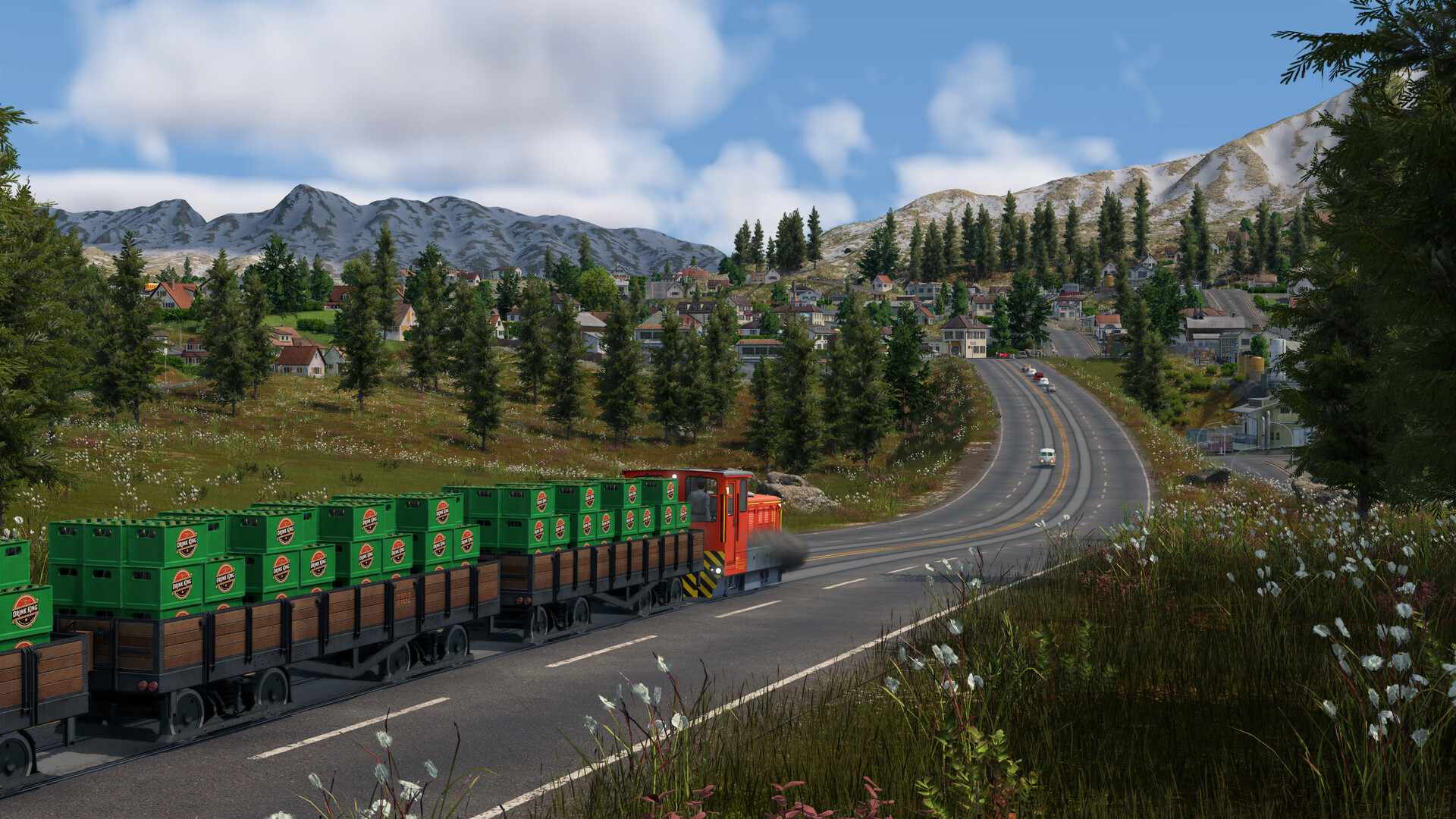
Official screenshot · Source: Steam store
Community concern crystallized in a Steam discussion thread shortly before launch, where players flagged two issues:
- A limited number of native graphics settings
- No built-in frame rate cap or upscaler options (DLSS/FSR/XeSS)
One player running a Ryzen 9 9950X3D and an RTX 5090 noted that even Transport Fever 2 struggled late game on that hardware — a sobering data point for anyone hoping raw GPU power alone will save them.
The Hard Truth: DLSS Won't Fix a CPU Bottleneck
Here's the technical reality that many players miss, and it's the most important takeaway in this entire article: upscaling technologies like DLSS help GPU-bound scenarios, not CPU-bound ones.
Transport Fever games are famously CPU-bound. Your GPU renders the world, but your processor calculates every citizen, vehicle, and industry. When your late-game save drops to 20 FPS because your CPU can't keep up with thousands of simulated agents, DLSS simply won't help. Even DLSS Frame Generation — which can artificially inflate frame counts — would just add visual artifacts and input lag while the underlying simulation still crawls.
| Bottleneck Type | Cause | Does DLSS Help? | What Actually Helps |
|---|---|---|---|
| GPU-bound | High resolution, shadows, volumetric weather | ✅ Yes | DLSS/FSR, lower shadows, reduced lighting quality |
| CPU-bound | Thousands of simulated agents, huge maps | ❌ No | Smaller maps, fewer vehicles, faster CPU (X3D chips) |
| Both | Large map + max settings | ⚠️ Partially | Combination of both approaches |
This is why the missing Transport Fever 3 DLSS option stings more symbolically than practically. Players want it because every modern game should have it — one forum user put it well: every game should ship with FSR/DLSS/XeSS, ideally running on DirectX 12, which is required for the full feature set of these upscalers.
What Community Reports Say About Multi-Core Performance
The good news from pre-release community reports is encouraging. According to a pre-release streamer who monitored their CPU during gameplay, Transport Fever 3 was using all 16 cores, with four cores carrying significantly heavier loads than the rest. That suggests developer Urban Games has done serious re-engineering of the engine's multi-threading — a big deal, since players report Transport Fever 2 was largely limited to a single core, causing even a Ryzen 7 9800X3D to struggle on huge maps.
| Factor | Transport Fever 2 | Transport Fever 3 (community reports) |
|---|---|---|
| CPU core usage | Mostly single-core | Up to 16 cores, ~4 heavily loaded |
| Late-game scaling | Chugs on very large maps | Better, but new features add load |
| Primary bottleneck | CPU | Still CPU |
However, the community also offers a realistic caveat: Urban Games added far more simulation depth to TF3, which offsets some of those multi-core gains. Bigger towns mean more agents, and more agents mean more compute. Even a 9800X3D paired with an RTX 5090 has finite processing power — there will always be a point where any machine chugs.
Available Workarounds and How Well They Actually Work
Since there's no official Transport Fever 3 DLSS toggle yet, players have been sharing workarounds. Here's an honest assessment of each:
| Workaround | How It Works | Effectiveness | Downsides |
|---|---|---|---|
| Lower "screen resolution" setting | Renders internally at reduced res, similar to FSR | Moderate GPU savings | No smart upscaling algorithm; can look blurry |
| Debug menu options | Hidden developer settings | Varies | Not officially supported; may change between patches |
| Global GPU frame rate cap (NVIDIA/AMD software) | Caps FPS driver-side | Smooths frame pacing, saves power | Doesn't improve FPS; external workaround |
| Reduce simulation load | Smaller maps, fewer vehicles | High for CPU-bound drops | Changes how you want to play |
The resolution-scaling option is worth flagging: community members discovered that lowering the in-game "screen resolution" setting effectively acts as a basic upscaler. It's not true DLSS — it lacks the AI-assisted reconstruction — but on GPU-limited scenes (dynamic weather, shadows, volumetric clouds), it can claw back meaningful frames.
Practical Settings Checklist for Better Performance
Based on community experience and how agent-based sims behave, prioritize these steps:
- Set a global frame rate cap in your NVIDIA App or AMD Adrenalin software to smooth frame pacing
- Lower the screen resolution scale first if your GPU is the bottleneck
- Reduce shadows, dynamic lighting, and weather effects — these are the few GPU-heavy features that can affect late-game performance
- Simulate before you scale: test network designs on smaller maps before committing to a mega-map
- Wait for the day-one performance patch — community members report one is planned, and TF2 historically received similar community-made performance mods
Keep expectations realistic: if your late-game empire has tens of thousands of simulated citizens, no graphics setting in existence will rescue your frame rate. That's physics, not poor optimization.
Should You Wait Before Buying?
Some players have publicly stated that late-game performance concerns are the reason they're holding off on purchasing — a completely reasonable stance. Here's a quick decision framework:
| Your Situation | Recommendation |
|---|---|
| Mid-range CPU, love huge maps | Wait for the day-one patch and early player benchmarks |
| High-end X3D CPU, moderate map sizes | Likely fine at launch |
| GPU-limited at 4K | Use resolution scaling; DLSS support would help here if patched in |
| Player who builds megacities | Expect chugs eventually on any hardware — decide if that's acceptable |
FAQ
Does Transport Fever 3 have DLSS support? As of launch discussions, Transport Fever 3 does not include native DLSS, FSR, or XeSS in its main settings menu. There is a resolution-scaling option that mimics basic upscaling, plus hidden debug menu options, but no official Transport Fever 3 DLSS implementation has been confirmed yet. A day-one performance patch is reportedly planned.
Will DLSS improve my late-game frame rate? Probably not. Late-game slowdowns in Transport Fever 3 are CPU-bound, caused by thousands of individually simulated citizens and vehicles. DLSS is a GPU feature and only helps when your graphics card is the bottleneck.
What's the best CPU for Transport Fever 3? Community reports suggest a CPU with strong single-core performance and large cache — chips like AMD's X3D series — will serve you best, especially now that the engine reportedly uses multiple cores.
Is the resolution scaling option the same as FSR? No. It's traditional internal resolution rendering, which lacks FSR's smart upscaling algorithms. It can still improve GPU-bound performance, but expect a softer image compared to true FSR or DLSS.
Related Guides
Transport Fever 3 Performance: What to Expect
Transport Fever 3 performance analyzed: CPU bottlenecks, late-game stutter, missing upscalers, and practical fixes for mid-range and high-end PCs.
Transport Fever 3 System Requirements: PC Specs Guide
Confirmed Transport Fever 3 system requirements, storage needs, RAM guidance, and performance tips to get your transport empire running smoothly.