Transport Fever 3 Performance: What to Expect
Transport Fever 3 performance analyzed: CPU bottlenecks, late-game stutter, missing upscalers, and practical fixes for mid-range and high-end PCs.
Transport Fever 3 has landed, and while Urban Games' transport tycoon sim is winning praise for its depth, one topic dominates the conversation: Transport Fever 3 performance. Even reviewers running an RTX 5090 and a Ryzen 7 9800X3D report stutter as their networks grow, which should tell you everything about where this game's technical ceiling lies. If you're deciding whether to buy, upgrade, or wait for patches, understanding how this game uses your hardware is essential — and the good news is that the picture is more nuanced than "the game is broken."
Why Transport Fever 3 Performance Is CPU-Bound
Like all agent-driven strategy games, Transport Fever 3 simulates every citizen and vehicle individually. Each agent eats compute resources, which means your CPU — not your GPU — determines late-game smoothness. Hardcore Gamer's review, conducted on flagship hardware (a 9800X3D, 64GB of DDR5, and an RTX 5090), found that the world struggled to keep up as the map grew, with stutter creeping in over time. Zoomed out and laying roads was noticeably worse than riding along at ground level.
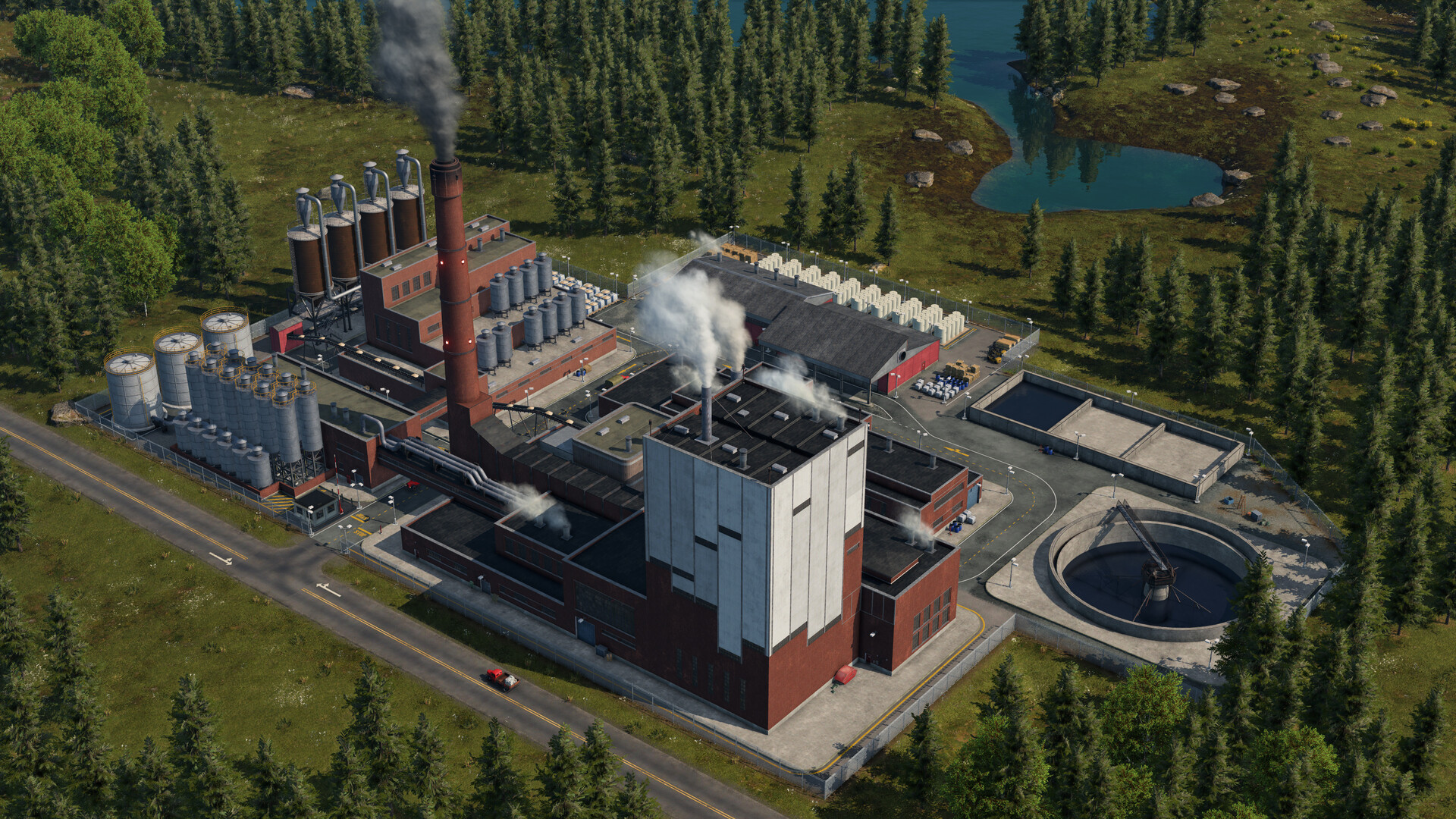
Official screenshot · Source: Steam store
| Component | Impact on Performance | Notes |
|---|---|---|
| CPU | Very High | Primary bottleneck, especially late game |
| RAM | Moderate | 64GB tested; more agents = more memory pressure |
| GPU | Low–Moderate | Matters for lighting, shadows, weather effects |
| Storage | Low | NVMe helps load times only |
This is the crucial takeaway: tweaking graphics settings will only get you so far. If your frame rate tanks when your network balloons, your processor is the part that matters.
What Player Experience Reveals So Far
Community reports on the game's Steam discussions paint a mixed but informative picture. A few recurring themes stand out:
- Multi-core improvements are real. One pre-release streamer reportedly observed the game using all 16 CPU cores, with four cores handling significantly heavier loads than the rest. That's a major step up from Transport Fever 2, which was notorious for leaning on a single core — even a Ryzen 7 9800X3D struggled in the previous game's late game.
- More simulation cancels out some gains. Urban Games has added considerably more "stuff" to simulate — bigger towns, more citizens, more vehicles. Player experience suggests the engine's improvements are partially offset by the heavier workload.
- No hardware escapes the limit. Even a top-tier rig has finite compute. There is a technical ceiling on how many agents any PC can track before frame rates drop — the question is where that ceiling sits, and it's higher than TF2's.
The Settings Controversy: Upscaling, Frame Caps, and Debug Menus
A heated launch-week discussion has centered on the game's sparse options menu. Players noted that native FSR/DLSS/XeSS support, a frame rate cap, and other modern staples appear to be missing or buried. Some community members pointed out workarounds — setting a global frame cap through your GPU software, or lowering a "screen resolution" slider to emulate upscaling — but others argue a modern release shouldn't require these tricks.
| Feature | Status at Launch | Workaround |
|---|---|---|
| Frame rate cap | Not in native menu | Set a global cap via AMD/NVIDIA software |
| Upscaling (FSR/DLSS) | No clear native toggle | Lower render resolution (blurrier, no smart algorithms) |
| Hidden options | Some found in debug menu | Not recommended for casual players |
| DX12 renderer | Debate ongoing | Needed for full upscaling feature sets |
Here's the important technical caveat from the community: upscaling won't rescue you anyway. Upscaling helps when you're GPU-limited. Since Transport Fever 3 performance issues are CPU-driven, frame generation would only add visual lag and blur on top of a simulation already crawling at 20 FPS. The real fix has to come from Urban Games through optimization patches.
Practical Tips to Improve Transport Fever 3 Performance Today
You can't rewrite the engine, but you can reduce the load you place on it. Based on reviewer observations and player experience, here's what actually helps:
| # | Tip | Why It Works |
|---|---|---|
| 1 | Keep maps and town sizes moderate | Fewer agents = less CPU simulation load |
| 2 | Trim redundant vehicle lines | Every truck and train is individually simulated |
| 3 | Prioritize a strong CPU over a GPU upgrade | The game is CPU-bound; a faster GPU won't fix late-game stutter |
| 4 | Choose CPUs with large caches | X3D chips have historically excelled in simulation games |
| 5 | Cap FPS via GPU software | Reduces heat/noise during zoomed-out building sessions |
| 6 | Stay zoomed in while building | Stutter is worst when zoomed out over large areas |
If you're building a PC specifically for this game, put your budget into the processor first. A mid-range GPU paired with a high-cache CPU will serve you far better than the reverse.
Will Day-One Patches and Mods Save the Day?
History offers some optimism. Transport Fever 2's community produced performance mods that meaningfully improved late-game behavior, and Transport Fever 3 inherits a curated mod program at launch, with a large catalog carried over from previous games. Community members are also hopeful about early official patches — some speculating a performance-focused update could arrive quickly after release.
Urban Games is a small studio, and that context matters. Reviews describe a game whose ambition occasionally outpaces its technical polish, but also one that's "an absolute addicting blast" with endless replayability at a $50 price point. For many players, occasional stutter is an acceptable trade for a simulation this deep — you can follow the official updates on the Transport Fever website to track patch news.
The Bottom Line for Buyers
Transport Fever 3 performance is a genuine but manageable compromise. Here's how to decide:
| Your Situation | Recommendation |
|---|---|
| High-end CPU, love deep sims | Buy — stutter is tolerable for the experience |
| Mid-range system, large-map dreams | Wait for patches or a community performance mod |
| Mostly interested in campaigns (10–15 hrs) | Lower agent loads mean fewer issues; likely fine |
| TF2 late game frustrated you | Improvements are real, but the ceiling still exists |
If your enjoyment depends on sprawling mega-maps with thousands of agents, temper expectations. If you're happy growing a rich, medium-sized network, the game delivers one of the deepest logistics experiences in gaming.
FAQ
Is Transport Fever 3 performance better than Transport Fever 2? Yes, modestly. Community reports indicate the new engine uses multiple cores (roughly four heavy-load cores versus TF2's essentially single-threaded design). However, increased simulation complexity eats into those gains, so late-game behavior feels similar on big maps.
Does DLSS or FSR fix Transport Fever 3 performance issues? No. The game's bottlenecks are CPU-driven, and upscaling is a GPU-side technology. At best, lowering render resolution frees a little GPU headroom; it won't help simulation-related frame drops.
What hardware matters most for Transport Fever 3? Your CPU — ideally one with large cache, like AMD's X3D chips. GPU settings mostly affect lighting, shadows, and weather, not the agent simulation that causes late-game stutter.
Will there be a performance patch? Nothing is officially confirmed, but player experience from prior Urban Games releases suggests day-one or near-launch updates are likely, and the TF2 community performance mods may eventually make their way over.
Related Guides
Transport Fever 3 DLSS: Upscaling & Performance Guide
Does Transport Fever 3 support DLSS? Here's what players report about upscaling, CPU bottlenecks, and the settings that actually improve late-game FPS.
Transport Fever 3 System Requirements: PC Specs Guide
Confirmed Transport Fever 3 system requirements, storage needs, RAM guidance, and performance tips to get your transport empire running smoothly.